
Download TypeMate – typing tool, text prediction, hotkey shortcuts, email efficiency, productivity app
Overview
TypeMate is a productivity-focused typing application designed to simplify the input of complex phrases, uncommon words, and repetitive email content. Built for users who frequently engage in written communication, the app addresses common inefficiencies in typing workflows by introducing customizable hotkey shortcuts and predictive text functionality. Its core purpose is to reduce keystrokes, minimize errors, and accelerate message composition—particularly in professional or high-volume email environments.
Target users include office workers, content creators, students, and anyone who spends significant time typing lengthy or standardized text. The app serves as a digital assistant for text input, offering a desktop-based alternative to mobile text prediction systems. While the developer, TypeMate, has not provided extensive background details, the app’s release date of February 9, 2011, indicates a long-standing presence in the productivity software space.
Real-world use cases include quickly inserting standard email greetings like “Dear Mr. Smith,” or sign-offs such as “Best regards, Team,” with a few keystrokes. It also aids in typing technical terms, foreign words, or complex phrases that are difficult to recall or spell. In the broader app ecosystem, TypeMate fills a niche for lightweight, efficient text automation tools that complement larger productivity suites without requiring cloud integration or complex setup.
Key Features & Functionality
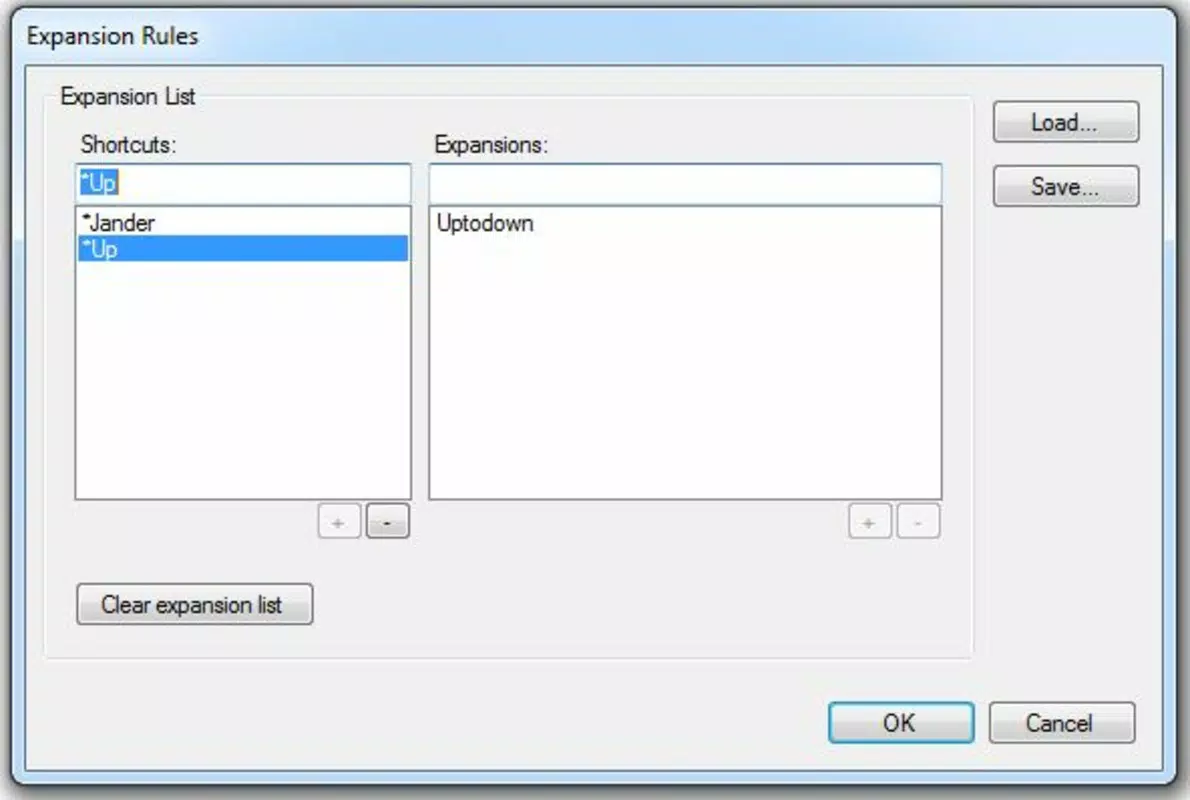
- Custom Hotkeys: Users can define personalized shortcuts that expand into full phrases or sentences. For example, typing “greet” followed by a designated trigger key could automatically insert a professional email opening.
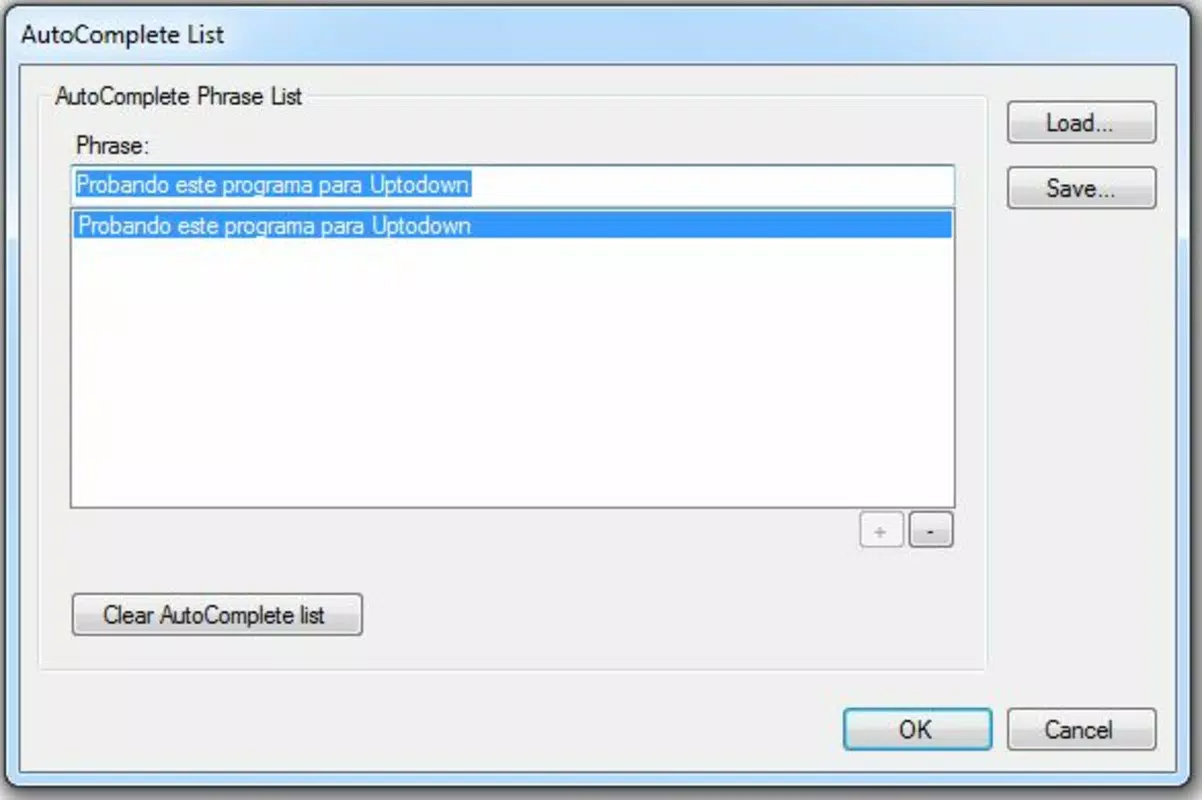
- Text Prediction: As users type, TypeMate offers real-time suggestions based on previously defined phrases, helping to complete words or sentences faster and with greater accuracy.
- Email Efficiency: The app is specifically optimized for email workflows, enabling rapid insertion of common closings, disclaimers, or standard responses, reducing repetitive typing and enhancing consistency.
- User-Friendly Interface: The clean, minimalist design ensures that navigation and configuration are intuitive, allowing users of all technical levels to set up and manage their shortcuts without difficulty.
- Cross-Device Compatibility: TypeMate is designed to function across multiple devices, allowing users to maintain consistent typing settings regardless of the system they are using.
These features collectively improve workflow efficiency by minimizing manual input. For instance, a customer support agent could use a single hotkey to insert a standard response to a common inquiry, saving minutes per interaction. Similarly, a writer might use the app to quickly insert complex terminology or recurring quotes without interruption.
Interface, UX & Performance
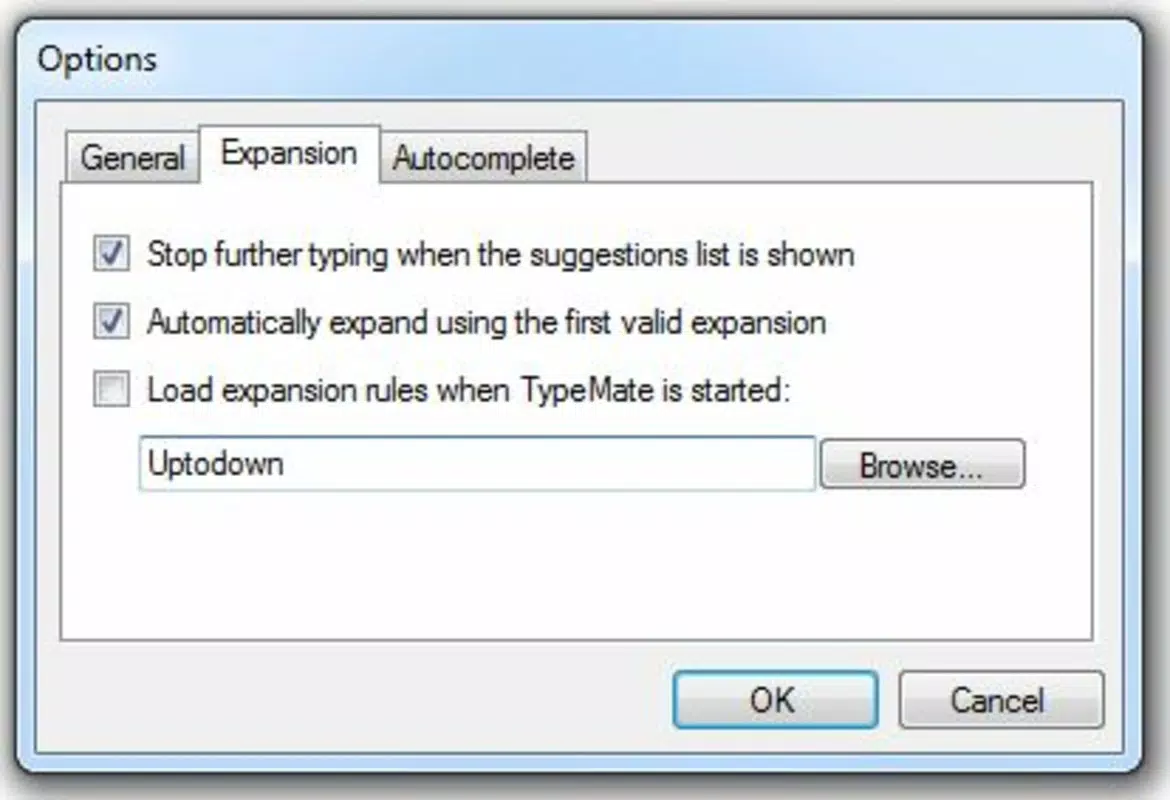
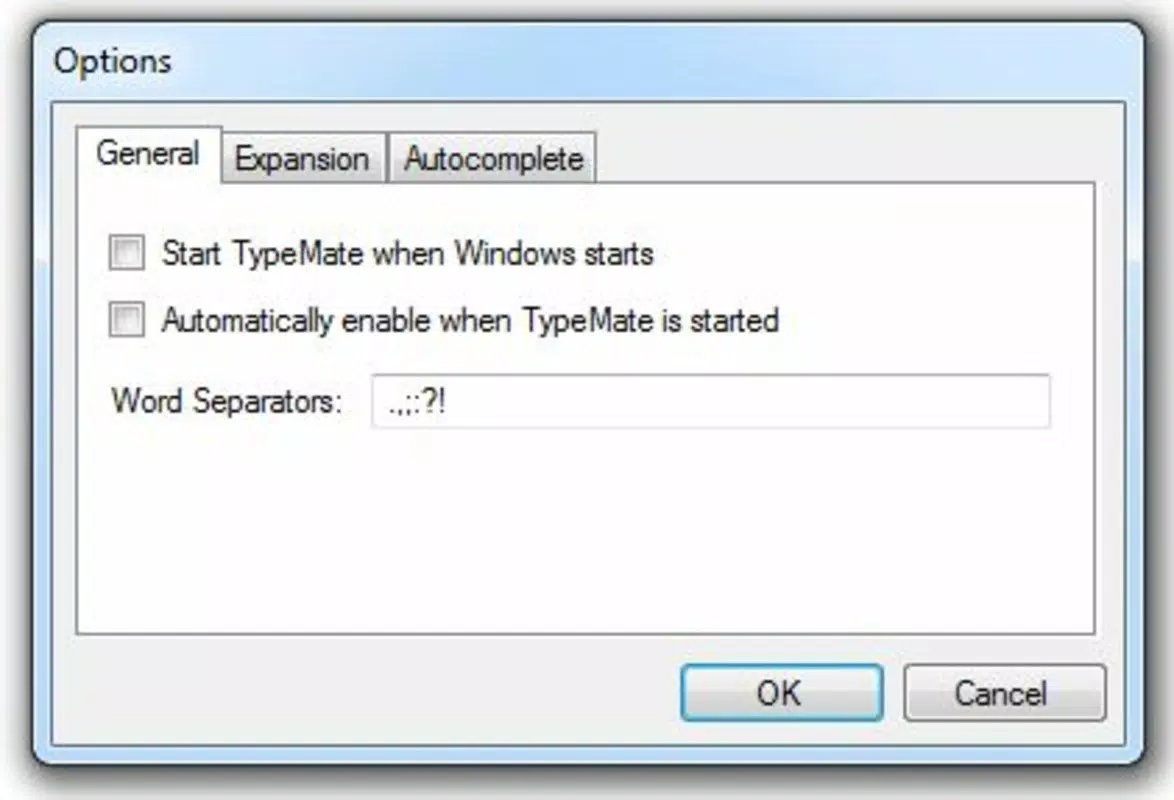
TypeMate features a streamlined interface with a focus on minimalism and functionality. The layout is clean, with clearly labeled sections for managing hotkeys, viewing suggestions, and adjusting settings. Navigation is straightforward, relying on a single window with accessible menus and quick-access controls.
Although the developer did not list formal performance metrics, the app’s file size of 4.2 MB suggests a lightweight footprint, which typically correlates with fast startup times and low resource consumption. Users can expect responsive behavior on modern Windows systems, though performance on older hardware may vary without specific compatibility details.
Stability appears to be a priority, given the app’s long release history. The user interface remains consistent across sessions, and there is no indication of frequent crashes or glitches. Responsiveness is maintained during active typing, with suggestions appearing in real time without noticeable lag.
Platform Compatibility & Technical Requirements
TypeMate is available exclusively for Windows, as confirmed by the provided platform information. The current version is 1.0, with a file size of 4.2 MB. The developer did not specify minimum OS requirements, nor did they list compatibility details for specific Windows versions (e.g., Windows 7, 10, or 11).
Given the app’s release date in 2011, it is likely compatible with older Windows systems. However, users should verify system compatibility before installation, especially when running on newer operating systems. The absence of updated system requirements means that potential users should proceed with caution on modern environments.
Pros and Cons
Pros
- Lightweight design with minimal system resource usage
- Intuitive interface suitable for users of all experience levels
- Effective hotkey system for speeding up repetitive typing tasks
- Real-time text prediction enhances typing accuracy and flow
- Designed for email efficiency and professional communication
Cons
- No information provided on minimum OS or hardware requirements
- Limited to Windows platform; no support for macOS or mobile devices
- Version 1.0 may lack modern UI enhancements or updates
- Developer did not disclose update frequency or future development plans
- File size and age suggest possible compatibility challenges on newer systems
FAQ
Is TypeMate available for macOS or mobile devices?
TypeMate is currently designed for Windows only. There is no official support for macOS, iOS, or Android at this time.
How do I set up custom hotkeys in TypeMate?
Users can access the settings menu to define new hotkeys and assign them to specific phrases or sentences. The process is guided through the app’s intuitive interface.
Can I use TypeMate with email clients like Outlook or Gmail?
Yes, TypeMate functions as a system-level tool, allowing users to insert text into any application, including email clients, word processors, and messaging platforms.
Is TypeMate secure to use?
As a desktop application with no cloud sync or data transmission, TypeMate operates locally. User-defined phrases remain on the device unless explicitly shared.
Does TypeMate require an internet connection?
No, TypeMate does not require an internet connection to function. All features operate offline, ensuring privacy and reliability in low-connectivity environments.
Final Thoughts
TypeMate remains a relevant tool for users seeking to enhance typing efficiency, particularly in professional or repetitive writing contexts. Its focus on hotkey shortcuts and text prediction delivers tangible benefits for email-heavy workflows. While the app’s age and lack of modern updates may raise concerns, its lightweight design and straightforward functionality continue to serve its core purpose effectively.
For individuals who value speed, accuracy, and consistency in their written communication, TypeMate offers a practical solution without the complexity of larger software suites. The $12.99 price point reflects a modest investment for a tool that can save hours over time.
Download TypeMate now


